Sports league registration template
Season sign ups with divisions, guardian details for minors, fees and payment. Use it as it is or change anything, then share a link, embed it on your site or print a QR code.
- 15 questions
- 3 pages
- Fills a document
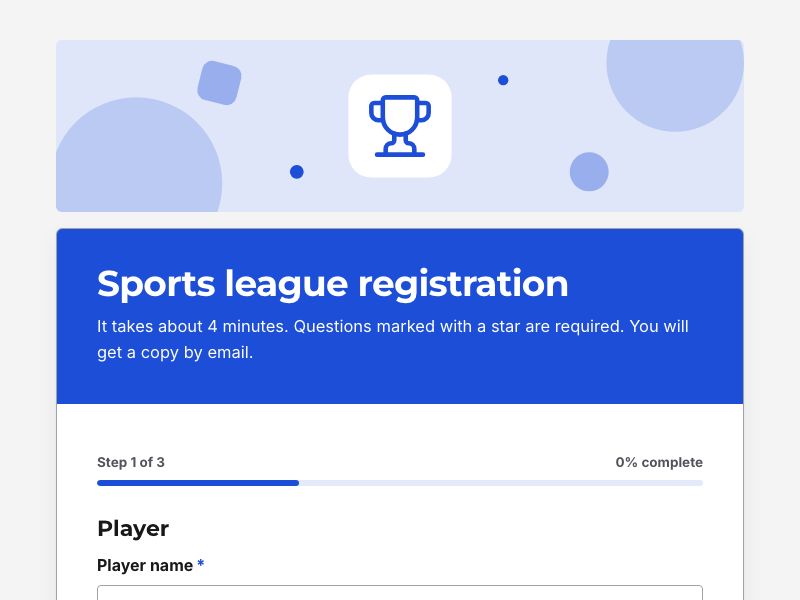
Questions in this form
- Page: Player
- Player name required
- Date of birth required
- Age on the first day of the season required
- Division required
- Shirt size
- Previous team
- Page: Contact
- Parent or guardian name required shown only when needed
- Email required
- Phone required
- Emergency contact required
- Emergency phone required
- Medical information
- Page: Fees
- Registration required
- Would you like to help as a volunteer coach?
- Season fee
- Agreement required
- Payment
Smart logic
One question appears only when an earlier answer makes them relevant, so people never see questions that do not apply to them.
The document it creates
Every response becomes a clean document of every question and answer in the Bold design, as a PDF or Word file. It is saved to your Drive in a folder for this form and attached to the respondent's copy of their answers. With Pro you can switch to your own Word or PDF template.
How to use it
- Use the template. It opens in the form builder with the Bold theme already applied.
- Make it yours. Change questions, logic, colours and fonts. The live preview shows exactly what respondents will see.
- Publish and share. Copy the link, embed the form on your website or download its QR code. Responses arrive in a table with charts and exports.
More registrations and sign ups templates
Questions
Is this sports league registration template free?
Yes. Create a free FormsBat account, use the template and share the form. The Free plan includes unlimited forms and 1,000 responses a month.
Can I change the questions and design?
Yes. Add, remove and reorder questions, change any wording, pick another theme or accent colour, and add your logo. The template uses the Bold theme.
Do people need an account to answer?
No. Respondents open your link on any phone or computer and answer without signing up.
What happens to each response?
Every response becomes a clean document of every question and answer in the Bold design, as a PDF or Word file. It is saved to your Drive in a folder for this form and attached to the respondent's copy of their answers. With Pro you can switch to your own Word or PDF template.
119 free form templates
Applications, intake forms, consent forms, registrations, orders and surveys. Or describe what you need and let AI build it.