A form builder that turns answers into finished paperwork
Add questions, set rules and pick a theme in a live editor. People fill the form on any device, and every response can become a PDF or Word document that is ready to download or sign.
- Free plan, no credit card
- 18 question types
- Pro is $4 a month
Everything you need to collect good answers
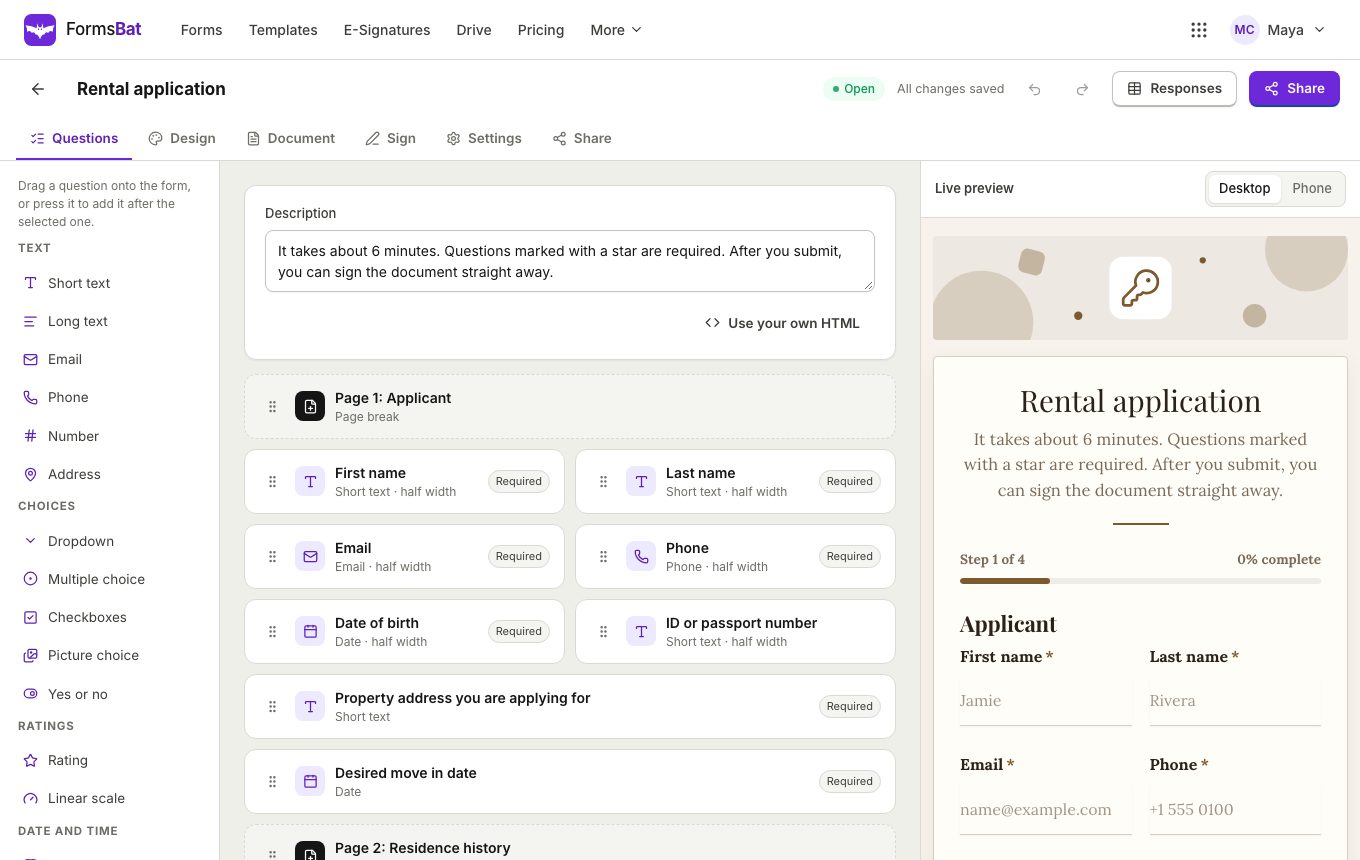
The FormsBat builder lives at your forms dashboard. Create a blank form, start from one of 60 templates, or describe what you need and let Create a form with AI draft the questions for you. Either way you land in the same editor, with your questions on one side and a live preview on the other.
A form is a list of questions, section headings and page breaks. You can drag questions to reorder them, or move them with the keyboard if you prefer. Each question has its own label, help text, placeholder and default answer, and you choose whether it is required and how its answer is checked.
What makes FormsBat different is what happens after someone presses submit. Every response is stored in a searchable table, and it can also fill a document such as an application, an agreement or a receipt. That document can then go out for e-signature without any extra tools.
Why people build their forms in FormsBat
18 question types
Text, email, phone, number, date, time, choices, picture choice, ratings, scales, yes or no, file upload, drawn signature, initials and address, all in one builder.
Conditional logic
Show a question or a whole page only when an earlier answer matches a rule, so each person only sees what applies to them.
8 themes, your brand
Pick a theme, set an accent colour and fonts, and add your logo and a cover image. Forms adapt to dark mode on their own.
Answers become documents
Each response can create a PDF or Word document, saved to your Drive and ready to download, email or send for signature.
Works on every phone
Public forms are built for small screens, keyboards and screen readers, with clear labels and announced errors.
Create a form with AI
Describe the form in a sentence and get questions, validation, logic, a matching theme and a document to start from.
Build a form in 3 steps
- 1
Start blank, from a template or with AI
Open the forms dashboard and create a form. Pick one of over 100 templates in 12 categories, or describe the form and let AI draft it.
- 2
Add questions and rules
Add questions, set what is required, add validation and conditional logic, and split long forms into pages with a progress bar.
- 3
Style it and share it
Choose a theme, check the desktop and phone preview, then share the public link, embed it on your site or print a QR code.
Everything in the builder
All of these are available on the free plan. Pro raises the response limit and adds your own Word and PDF templates.
- Text questions
- Short text for names and one line answers, long text for comments and descriptions, plus email, phone and number questions that check the format.
- Date and time
- Date and time questions with a picker, and you can limit a date to a range, such as between two dates.
- Choice questions
- Dropdown, multiple choice and checkboxes for picking one or many options from a list you write.
- Rating and linear scale
- Star ratings out of 5 or 10, and linear scales including the 0 to 10 scale used for NPS surveys.
- Yes or no
- A simple two button question that works well as the trigger for conditional logic.
- File upload
- Let people attach a CV, a photo of an ID or a supporting document. Files are kept with the response.
- Drawn signature
- People sign with a finger, mouse or stylus. The signature is stored with the response and can be stamped into the document.
- Address
- One question that collects a full postal address, instead of several separate text boxes.
- Sections and page breaks
- Group questions under section headings, and break long forms into pages with a progress bar at the top.
- Validation
- Set a minimum or maximum length, a number or date range, or a pattern the answer must match, with a friendly error message.
- Help text, placeholders and defaults
- Explain a question under its label, show an example inside the field and prefill an answer people can change.
- Half width questions
- Put two short questions side by side, such as first and last name. On phones they stack automatically.
- Conditional logic
- Show a question or page only if an earlier answer is, is not, contains, is greater or less than a value, or is answered at all.
- Live preview
- See the form as people will, on desktop and on a phone, while you edit. Duplicate or delete any question in one click.
- Form settings
- Thank you message or redirect, close date, response limit, one response per person or per email, and sign in required.
- Email notifications
- Get an email for each response, and send respondents a copy with the generated document attached.
Conditional logic without a flowchart
Logic in FormsBat is written as plain rules on the question or page you want to show. Pick an earlier question, choose a comparison and type a value. The question stays hidden until the rule is true, so people only answer what applies to them.
- Show Company name only if Are you applying as a business? is Yes.
- Show a Tell us more page only if a rating is less than 3.
- Show Dietary needs only if Will you join the dinner? is answered.
- Show a follow up question only if a long answer contains a word you choose.
Themes that match your brand
Every form starts with one of 8 themes: Clean, Soft, Bold, Elegant, Dark, Minimal, Fresh and Corporate. On top of the theme you can set your accent colour, a heading font and a body font, and upload a logo and a cover image. Forms follow the viewer's light or dark mode setting, so text stays easy to read either way.
On the free plan, public forms show a small FormsBat badge. Pro removes it so the form looks entirely like your own.
Who uses the FormsBat builder
- Small businesses collecting quotes, orders and customer feedback.
- HR teams running job applications that create a tidy application document for each candidate.
- Landlords and property managers taking rental applications with a signature at the end.
- Clinics, coaches and lawyers using client intake forms and consent forms.
- Organisers handling event registration and volunteer sign ups.
Frequently asked questions
Is the FormsBat form builder free?
Yes. The free plan lets you keep as many forms open as you like and collect 1,000 responses a month, with every question type, logic and theme included. Pro is $4 a month for 10,000 responses a month.
Do people need an account to fill my form?
No. Anyone with the link can fill the form in their browser. You can turn on require sign in in the settings if you want only signed in people to respond.
Can I make a multi page form?
Yes. Add a page break wherever you want a new page. People see a progress bar that shows how far through the form they are.
Can I show questions only to some people?
Yes. Conditional logic shows a question or a whole page only when an earlier answer matches your rule, such as is, is not, contains, greater than, less than or is answered.
Can people sign the form?
Yes. Add a drawn signature question for a simple signature, or turn on e-signature to send the generated document for a full signing with an audit trail. See e sign from forms.
Can I stop a form from getting too many answers?
Yes. Set a close date, a response limit, or one response per person or per email, and you can close or reopen the form with one toggle at any time.
Does it work with a keyboard and screen reader?
Yes. Public forms use real labels, announce errors, and can be filled entirely with a keyboard. In the builder you can also reorder questions with the keyboard.
Related features and use cases
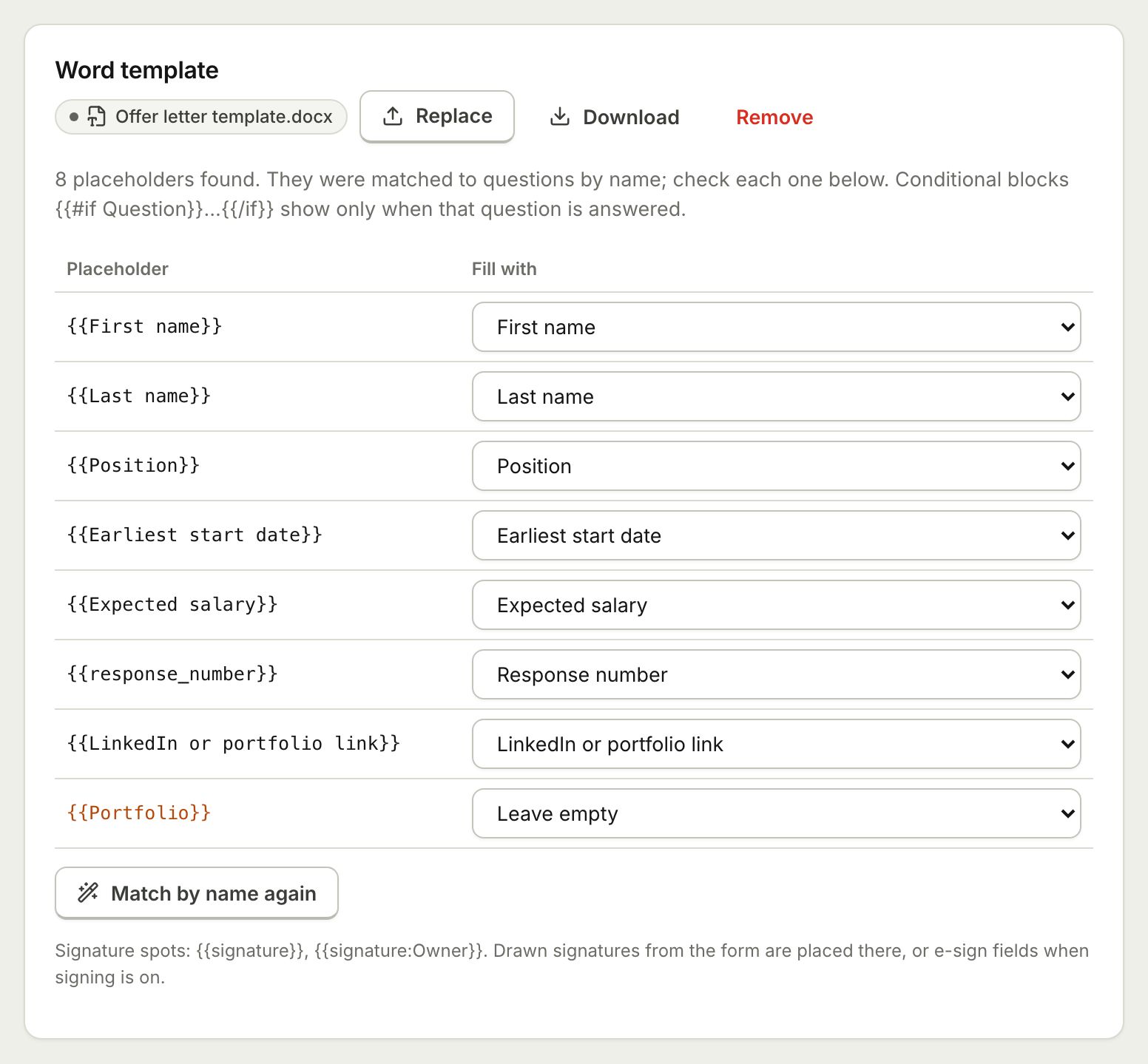 Document TemplatesTurn every form response into a PDF or Word document: a designed answers document, a ready template, or your own Word or PDF file.
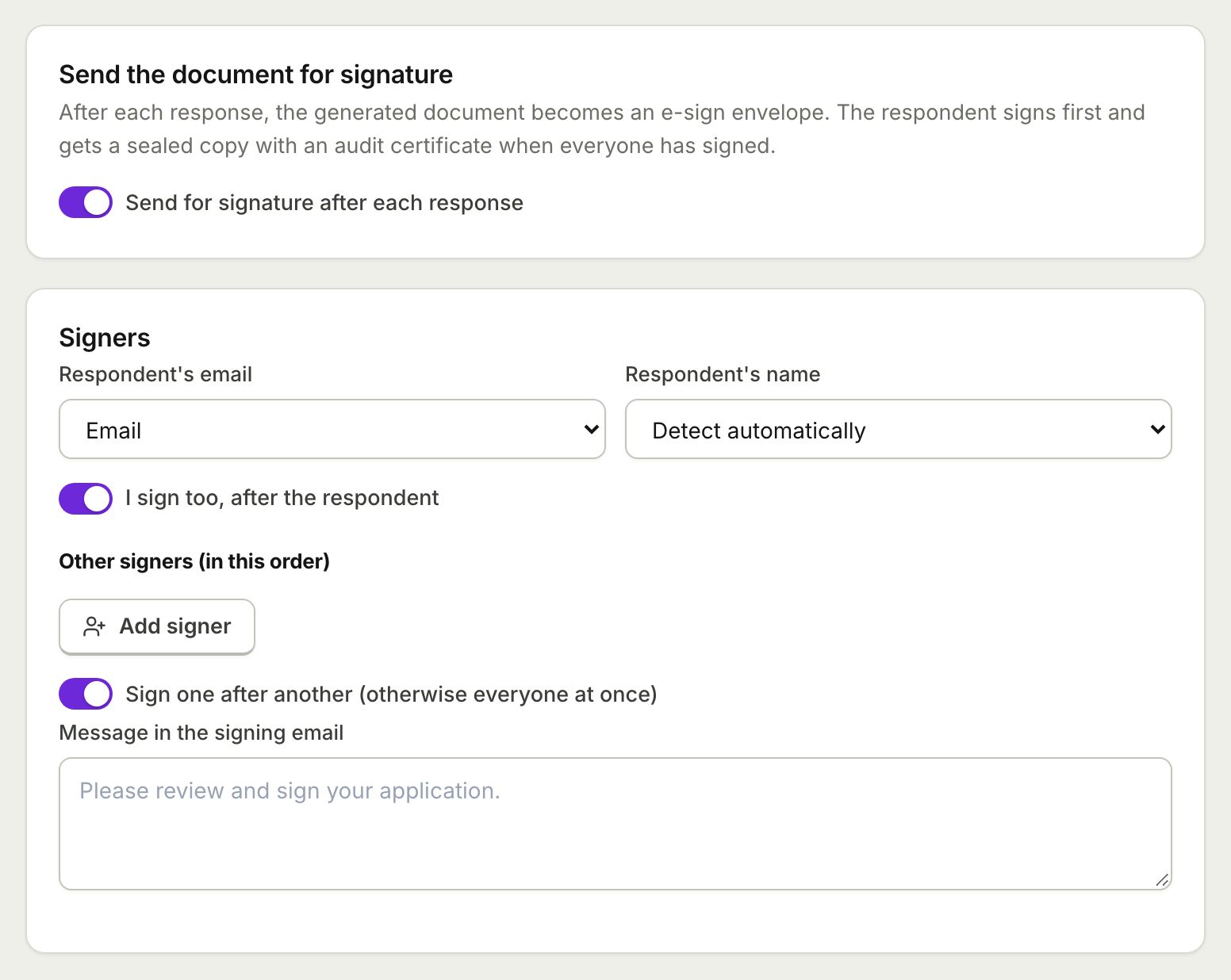 E-Sign from FormsSend the document each response creates for e-signature: the respondent signs from the thank you screen and everyone gets a sealed PDF.
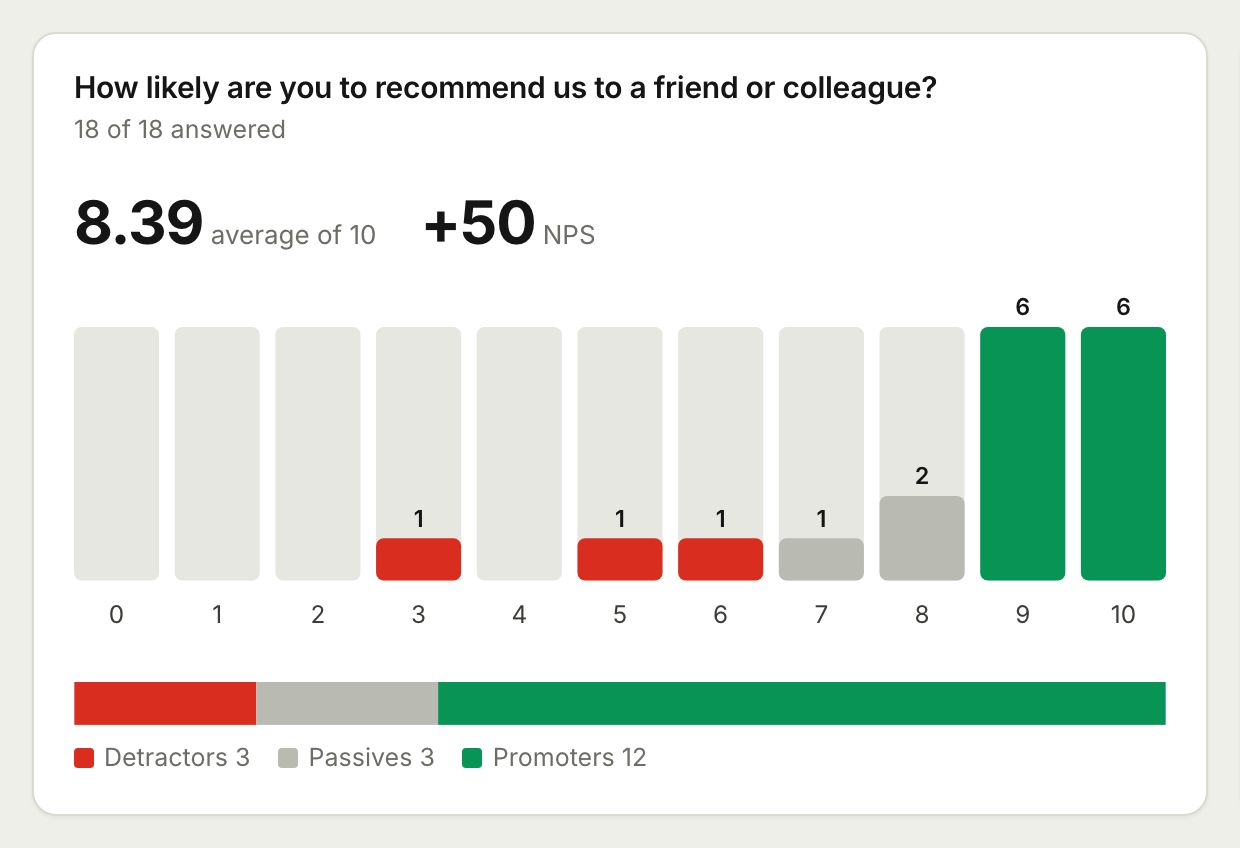 Surveys and AnalyticsRun surveys with ratings, scales and NPS, then read the results as charts, averages and an NPS score, or export them to CSV and Excel.
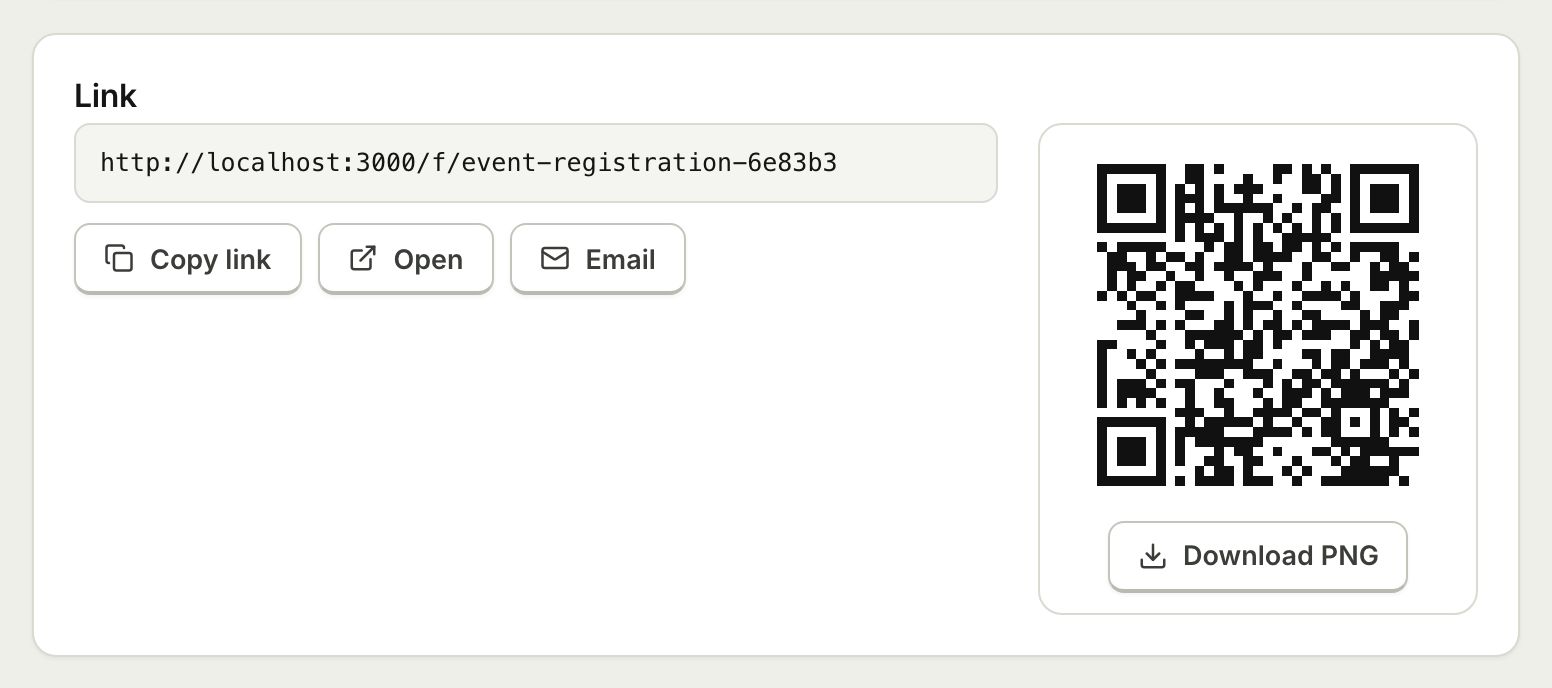 Embed and ShareShare a form with a public link, embed it on your website with an iframe that resizes itself, or print a QR code.
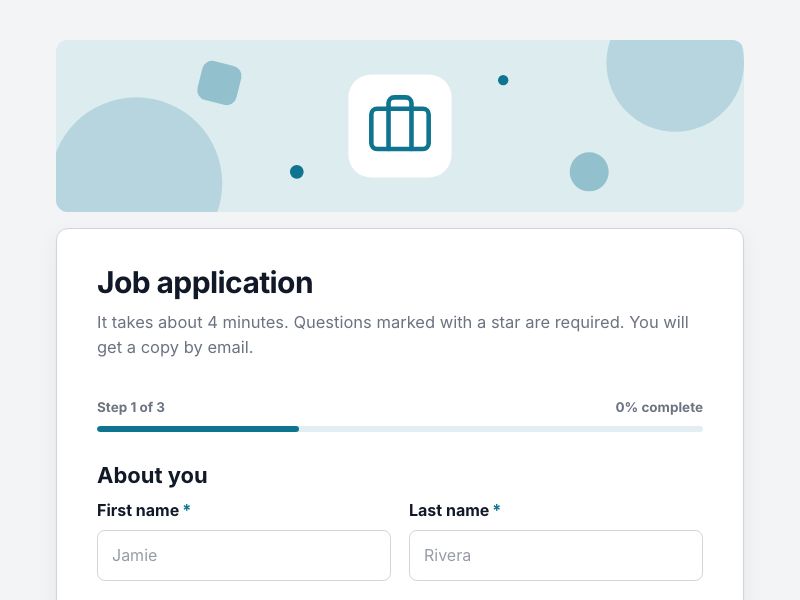 Job Application FormCollect applications with CV uploads and screening questions, and get a tidy application document for every candidate.
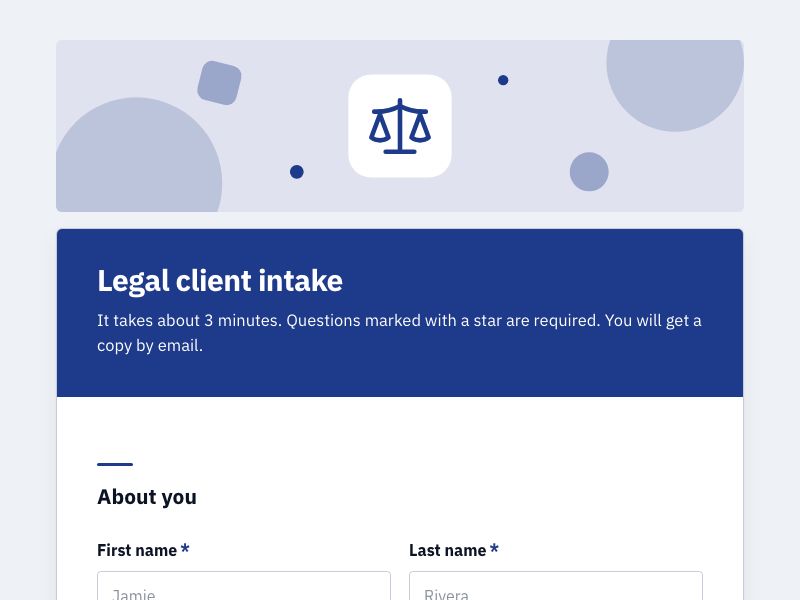 Client Intake FormOnboard new clients with one intake form, get a tidy client document for each, and add a signed agreement when you need one.
Build your first form free
Start from a blank form, one of over 100 templates or a sentence for AI. No credit card, nothing to install, and it works on any device.